DAYBETTER Smart WiFi LED Strip for Home Office Focus – Schedule and Timer Controlled Ambient Strip Light
DAYBETTER Smart WiFi LED Strip for Home Office Focus – Schedule and Timer Controlled Ambient Strip Light
Couldn't load pickup availability
Why you'll love it
- No hub required — connects directly to existing WiFi, lowering entry cost for smart home beginners
- Hands-free voice control frees users from phone or remote when hands are full or in bed
- Music sync mode turns any room into a personal nightclub for parties and solo listening
- Adhesive backing and cuttable design allow damage-free installation ideal for renters
- Three length options (50ft/100ft/200ft) scale from small bedrooms to whole-home accent projects
- Affordable entry into smart lighting compared to Philips Hue or LIFX ecosystems
- on/off timer feature that adds ambiance
- comes with two remotes
- two rolls per pack provides plenty of length
- brightness adjustment changes room atmosphere
- company offered a refund after product failure (good customer service)
Perfect for
- Ambient bedroom mood lighting with 16 million color options
- Music-synced party lighting that pulses to favorite songs
- Voice-activated lighting control via Alexa or Google Assistant
- Scheduled lighting that turns on at sunset and off at bedtime
- Accent lighting along ceilings, stairs, and kitchen cabinets
- behind a TV and on the wall behind it
- kitchen lighting
- outdoor use (though failed quickly)


Product Information
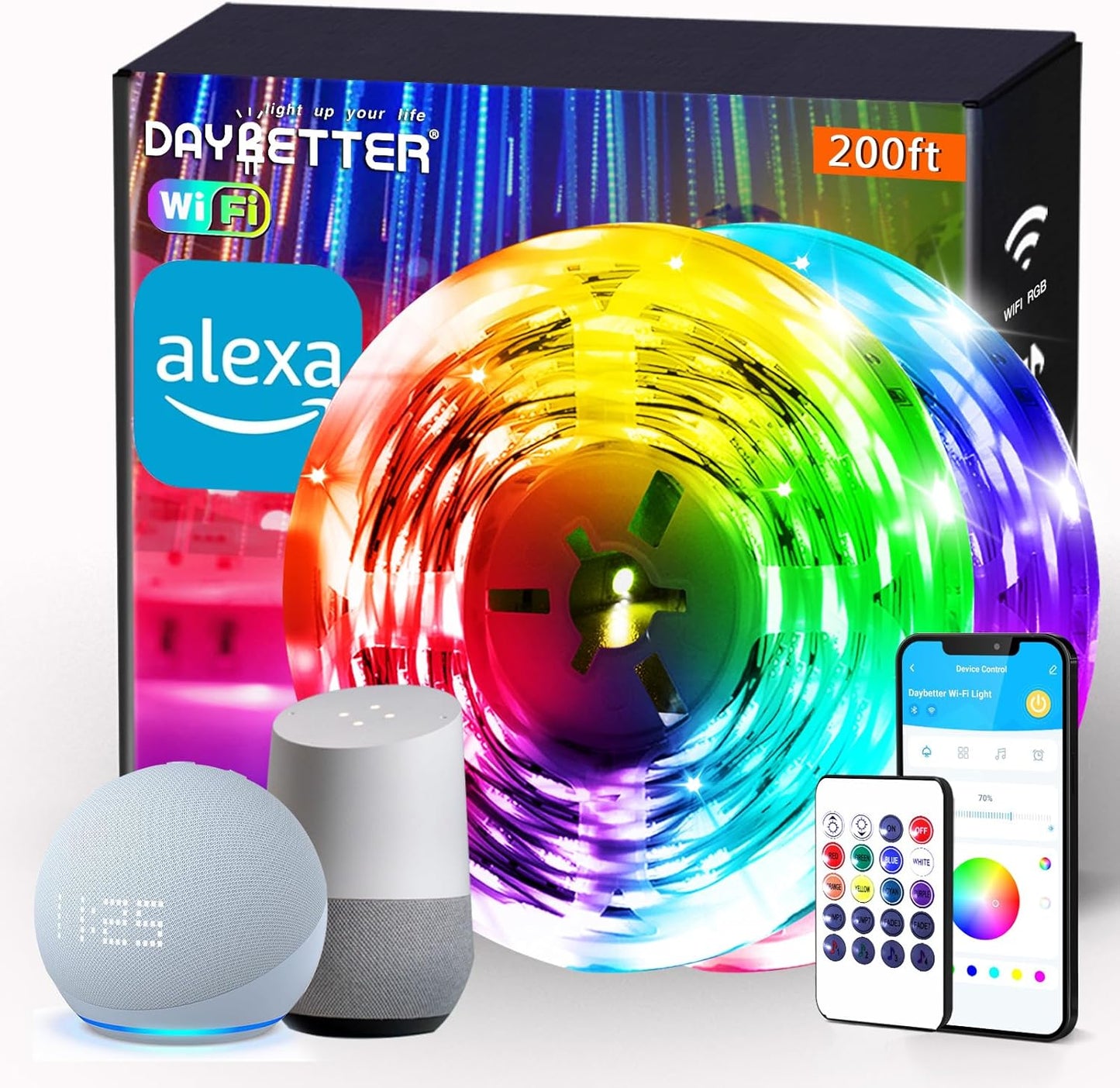
Smart APP Control: Daybetter APP allows you to control led lights for bedroom via WiFi and Bluetooth.With 16 million colors and multiple scene modes to choose from, you can use the App to customize your led strip lighting, giving you more coverage and more design options. Suitable for bedrooms, kitchens, stairs, dining rooms, ceilings, and large party Voice Control: The smart led light strip is no longer needs to be controlled by hand. It works with Alexa echo and Google assistant, you can control the functions of this led strip lights through voice, which must be controlled by remote control before. No hub required easy to install and no need subscription LED Lights SYNC to Music: Select music mode and watch your Daybetter led strip lighting dance and move to the rhythm of your favorite songs. With Daybetter app, Led lights strip will make your party up to the high peak, and makes life more colorful and wonderful.A fascinating display of colors will appear on the smart LED strip lights, which elevates your room decor aesthetic and suitable for Party, Valentine Day, Halloween, Christmas, Birthday Timer & Schedule: You can schedule the smart led strip automatically switch on/off via your phone app; And you also can set a countdown timer; Set the wifi led lights turn on or off at a specific time; Turn all lights on the moment you back home, turn all lights off when you are away from home Easy to Use: It's easy to install and you can use the adhesive to mount the RGB LED strip lights to any dry, clean surface. The smart LED strip has a cuttable design so you can trim it to the length you want. Follow instructions on manual and you can finish in minutes
Features & Specs Indoor Outdoor Usage Indoor Additional Features Corded Light Source Type LED Power Source Corded Electric Light Color Multicolor Controller Type App Control, Voice Control Connectivity Protocol Bluetooth, Wi-Fi Connectivity Technology Bluetooth, Wi-Fi Voltage 12 Volts Wattage 4.5 watts Control Method App Water Resistance Level Not Water Resistant Wireless Communication Technology Bluetooth, Wi-Fi Number of Batteries 1 Lithium Ion batteries required.
Frequently Asked Questions
Can the LED strip help me build a focus routine for work?
Yes. Many users set a bright white scene for focused work hours and a warmer tone for breaks, using the schedule function to automate the transitions and reduce decision fatigue.
Does the timer function help with deep work sessions?
It can. You can schedule the strip to shift color or turn off at set times, which doubles as a visual cue for the end of a focus block or pomodoro interval.
Will the lights distract me while I work?
Not if you set a steady neutral or warm white. The app lets you lock to a single clean tone so the strip acts as calm background ambiance rather than a moving distraction.
Can I match the lighting to different parts of my day?
Yes. Use cool bright tones in the morning to feel alert, neutral white during deep work, and warmer tones in the evening to wind down, all automated through the weekly schedule.
Does the strip help during video calls in a home office?
Indirect strip lighting behind your monitor or along the wall adds a flattering backlight that separates you from the background on camera, similar to a professional ring light setup.
Is this a good addition to a small home office?
Yes. It adds layered light without taking desk space, which is valuable in compact work corners, studio apartments, and converted bedroom offices.
Can I use the strip as a focus timer by changing color?
Yes. You can save a deep focus color and a break color in the app, then switch between them with a single tap or voice command to mark the start and end of work intervals.
Will scheduling the strip help with consistent sleep before work?
Yes. Setting the strip to dim warm tones in the last hour of the day and shut off at bedtime supports a predictable wind down routine that is better for sleep than bright overhead lighting.
Does the strip help reduce eye strain in a dark office?
Adding indirect bias lighting behind a monitor or along a shelf reduces the contrast between a bright screen and a dark room, which lowers eye fatigue during long sessions.
Can I integrate the strip with my existing productivity apps?
Through Alexa or Google Assistant routines, you can trigger the strip alongside calendar events, focus timers, and other smart devices for a fully automated work session.
How does this compare to a desk lamp for productivity?
A desk lamp delivers direct task lighting for reading or writing, while the LED strip provides ambient bias lighting. Many people use both, since the strip reduces screen contrast and the lamp handles focused tasks.
How does this compare to a smart bulb for a home office?
A smart bulb lights a single fixture, while the strip lights an entire run of ceiling, shelf, or monitor edge. For ambient bias lighting behind a screen, the strip is usually the better choice.
How does this compare to LIFX beam lighting for a workspace?
LIFX beams offer premium color accuracy at a much higher price. DAYBETTER delivers similar ambient bias lighting effects at a fraction of the cost, which fits a productivity focused budget.
What if the strip is too bright and distracts me?
You can dim the strip smoothly through the app or the included remote, and lock to a single static color so the lighting is consistent and unobtrusive during work.
Will music sync mode distract me from focused work?
For deep focus it is best to turn off music sync and use a static color. Save the music sync mode for breaks and end of day wind down instead.
I work nights, will this disturb my partner while they sleep?
You can mount the strip behind your monitor or under a desk so light points away from the bed, dim it to a low level, and schedule it to shut off when you finish.
How do I set up the DAYBETTER smart LED strip for the first time?
Plug the strip into the included power adapter, download the companion app on iOS or Android, create an account or sign in, and follow the in app steps to connect the strip to your 2.4GHz WiFi network. The whole process typically takes a few minutes.
How do I connect the LED strip to Alexa?
In the Alexa app, go to Skills and Games, search for the DAYBETTER skill, enable it, sign in with your DAYBETTER account, and discover devices. Once discovered, the strip appears in your Alexa device list and can be controlled by voice.
How do I use the music sync feature?
Open the companion app, enter the music sync mode, and choose microphone input to use ambient sound or app audio input to react to music playing on your phone. The strip will pulse and shift color to the beat in real time.
Does the LED strip work with Google Assistant?
Yes. Link the same companion app account in the Google Home app under Set up device, Works with Google, and you can control the strip with voice commands through any Google Assistant speaker or phone.
Does the LED strip work with Apple HomeKit?
The DAYBETTER smart strip is designed for Alexa and Google Assistant ecosystems. Direct Apple HomeKit support is not advertised, so HomeKit users should confirm compatibility with their specific setup before purchasing.
What is included in the box?
Each pack includes the LED strip roll or rolls, a WiFi controller, a power adapter, two remote controls, and a quick start guide. Mounting hardware such as extra adhesive clips may be included depending on the variant.
Are the LED strips safe to leave on overnight?
Yes. The strip runs on low voltage DC power and stays cool during normal use. For safety and to save energy, most users schedule an automatic shutoff at bedtime through the app.
What should I do if the LED strip stops working?
First check the power adapter connection, confirm the WiFi signal is strong, and try power cycling the strip. If the issue persists, contact DAYBETTER customer service, which has been known to issue refunds or replacements for product failures.
What is the difference between smart LED strip lights and regular LED strip lights?
Regular LED strips are controlled by a simple inline remote with fixed modes. Smart LED strips connect to WiFi and an app, support 16 million colors, music sync, voice control through Alexa or Google, and timer based schedules, which regular strips cannot do.